AUTODESK FUSION MANUFACTURING EXTENSION

Take your manufacturing processes to the next level

Unlock advanced CAM capabilities in Autodesk Fusion, including 4- and 5-axis simultaneous machining, sheet-based nesting and fabrication, and metals-based additive manufacturing.

Leading manufacturers choose Autodesk Fusion

What is the Autodesk Fusion Manufacturing Extension?

The Autodesk Fusion Manufacturing Extension unlocks advanced capabilities in Autodesk Fusion to help manufacturers make better use of machinery for metal-based additive manufacturing, CNC machining, and the nesting and fabrication of parts from sheet materials.

Choose from a range of flexible payment options to best suit your business needs or download a free 30-day trial of the Autodesk Fusion Manufacturing Extension today.

Why subscribe to the Autodesk Fusion Manufacturing Extension?

Shorten project delivery times

Automate manufacturing workflows to remove repetitive tasks, reduce errors, and shorten the time to go from design to manufactured parts.


Produce better quality parts

Access advanced tools to make better use of your machines, improve the quality and consistency of production, and increase profit margins.


Avoid overpriced software

Get flexible access to advanced manufacturing technology when and how you need it. Unlock more with technology that pays for itself in weeks.


See how the Manufacturing Extension can help your business

Key capabilities in the Autodesk Fusion Manufacturing Extension

Image showing the 5-axis machining of a bottle mold

CNC MACHINING

Milling and turning

Advanced CAM tools simplify the programming of 3-, 4-, and 5-axis milling and turning and generate high-quality NC code for mills and turn-mill machines.


Image showing Fusion Steep & Shallow toolpath machining a part

CNC MACHINING

Automated machining

Program complex, feature-rich components with ease using intelligent whole-part strategies like steep & shallow, deburr, hole recognition, and rotary.


Image showing a toolpath being limited to a sketch

CNC MACHINING

Toolpath modifications

Speed up CAM programming with powerful modification tools that can turn a good toolpath into a great one - all without wasteful recalculation time.


Image showing a part being measured inside Fusion using a spindle mounted probe

CNC MACHINING

Part inspection and setup

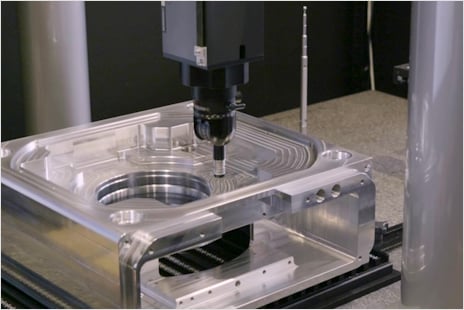
Use CAD-based probing strategies and spindle-mounted probes to automate part setup and measure components, helping you produce better parts in less time.


Image shows a snow plough designed and fabricated using Fusion software

NESTING & FABRICATION

Associative nesting

Convert 3D assemblies into precise 2D nested solutions ready for CAM programming, and automatically update nests if your original 3D design changes.


Image shows a fabricated vehicle designed and made with Fusion

NESTING & FABRICATION

Multi-sheet nesting

Smart nesting groups parts together based on thickness and other material-specific parameters giving instant insights for costing, quoting, and ordering.


Image shows a 3D printed part with a support structure automatically created by Fusion software

ADDITIVE MANUFACTURING

Integrated 3D printing

Prepare 3D models for metal-based additive manufacturing with automatic part orientation, fully associative support structures, and 3D printing file exports.


Image shows a thermal simulation of a 3D printing process

ADDITIVE MANUFACTURING

3D print simulation

Use thermal simulation tools to validate the 3D printing process to avoid costly print failures and deliver better quality parts the first time, every time.


AUTODESK FUSION MANUFACTURING EXTENSION

Get the Autodesk Fusion Manufacturing Extension now

Unlock advanced manufacturing tools including 4- and 5-axis simultaneous machining, sheet-based nesting and fabrication, and metals-based additive manufacturing.

Technical partnerships deliver extra value

We've teamed up with leading hardware, software, and tooling companies to deliver even more value through partner technologies. Learn more about Autodesk partnerships.

See why manufacturers are choosing Autodesk Fusion over SOLIDWORKS

Break free from disconnected tools and fragmented workflows. Autodesk Fusion unifies CAD, CAM, CAE, and PCB in one platform—boosting efficiency, cutting costs, and streamlining production.

Discover the difference Fusion Manufacturing Extension can make

Contact us today for a demo and see how our solution can transform your manufacturing processes.

Autodesk Fusion Manufacturing Extension FAQs

What is the Autodesk Fusion Manufacturing Extension?

The Autodesk Fusion Manufacturing Extension unlocks more advanced manufacturing functionality within Autodesk Fusion. The extension includes tools and workflows focused on subtractive CNC machining, sheet-based nesting and fabrication, and metals-based additive manufacturing. A subscription to Fusion is required prior to accessing the capabilities in the manufacturing extension.

Is the Autodesk Fusion Manufacturing Extension the same as the Fusion 360 Machining Extension?

Yes, the Autodesk Fusion Manufacturing Extension has the same capabilities as the previous Fusion 360 Machining Extension. Additionally, the Autodesk Fusion Manufacturing Extension also includes all features that were previously included in both the Fusion 360 Nesting & Fabrication Extension and the Fusion 360 Additive Build Extension.

Can I try the Autodesk Fusion Manufacturing Extension?

A free trial is available for the Autodesk Fusion Manufacturing Extension. Click here to download a free trial or activate directly in Autodesk Fusion following these steps.

Does Autodesk offer sheet metal design software?

Yes, with the Autodesk Fusion Manufacturing Extension, you can design sheet metal parts and document flat patterns using 2D drawings and DXFs. You can also streamline the manufacture of your designs using CNC routers, waterjet, laser, and plasma-cutting machines. The Fusion Manufacturing Extension can help fabricators to:

  • Optimize material yield
  • Simplify the generation of machining setups
  • Automatically update nests if the 3D design changes
  • Create efficient cutting toolpaths
  • Export NC code for a large variety of machine types
  • Produce customizable reports and setup sheets
  • Generate labels to help with assembly and packing

Does Autodesk offer 3D printing and metals-based additive manufacturing software?

Yes, the Autodesk Fusion Manufacturing Extension builds on the core capabilities of Autodesk Fusion to support many 3D printing / additive manufacturing applications and hardware types. Autodesk Fusion supports Fused-filament fabrication (FFF), Multi-jet Fusion (MJF), powder-bed, and multi-axis deposition (such as directed energy deposition) in a wide range of metals, polymers, and organics and includes:

  • Automatic part orientation
  • Associative support structures
  • Volumetric latticing
  • Part packing optimization
  • Print simulation

Is the Autodesk Fusion Manufacturing Extension included in any bundles?

Yes, the functionality included in the manufacturing extension is included in Autodesk Fusion for Manufacturing. If you do not currently own a subscription to Autodesk Fusion and need advanced CAM capabilities, consider Autodesk Fusion for Manufacturing.

How does the Autodesk Fusion Manufacturing Extension enhance CAM workflows?

The Autodesk Fusion Manufacturing Extension elevates CAM workflows with advanced tools for 3-, 4-, and 5-axis milling and turning, automated strategies for complex parts, and quick toolpath refinement without full recalculation. CAD based probing and in process inspection automate setup and improve accuracy. Associative and multi-sheet nesting streamline fabrication with automatically updated layouts and smarter material grouping. Integrated metal additive tools handle orientation, supports, and simulation to prevent failures and deliver higher quality printed parts. Click here to download a free trial or activate directly in Autodesk Fusion following these steps.

Who should use the Autodesk Fusion for Manufacturing Extension?

Any team that outgrows the base CAM capabilities in Autodesk Fusion and deals with complex parts, or wants to automate more of their machining, inspection, or nesting workflows will benefit most from the Autodesk Fusion Manufacturing Extension.

What advanced machining features does the Autodesk Fusion Manufacturing Extension offer?

Key capabilities in the Autodesk Fusion Manufacturing Extension include:

  • Milling & turning 

  • 3‑axis machining

  • 4‑axis machining 

  • 5‑axis machining

  • High‑quality NC code 

  • Deburr 

  • Toolpath edits

  • Automated setup

  • Associative nesting 

  • Multi‑sheet nesting

  • Material grouping 

  • Metal 3D printing

  • Auto orientation 

  • Associative supports

  • Print simulation 

See how you can take your existing Fusion workflows to the next level, with a free trial to the Autodesk Fusion Manufacturing Extension.

How does the Autodesk Fusion Manufacturing Extension support automation?

The Fusion Manufacturing Extension streamlines CAM automation by generating intelligent, whole part toolpaths, automatically refining them with advanced modification tools, and reducing manual setup through CAD-based probing and part alignment. It also automates nesting updates as designs change and accelerates additive prep with auto-orientation and associative supports - cutting programming time while improving accuracy and consistency across machining, fabrication, and printing workflows.

How does the Autodesk Fusion Manufacturing Extension improve manufacturing efficiency?

The Autodesk Fusion Manufacturing Extension improves manufacturing efficiency by automating repetitive workflows, reducing errors, and shortening the path from design to finished parts. It also enhances machine utilization with advanced tools that boost part quality, consistency, and overall production profitability. See pricing options here.

What manufacturing processes benefit from the Autodesk Fusion Manufacturing Extension?

The Autodesk Fusion for Manufacturing Extension helps manufacturers make better use of machinery for metal-based additive manufacturing, CNC machining, and the nesting and fabrication of parts from sheet materials. See pricing options here.

How does the Autodesk Fusion Manufacturing Extension integrate with Autodesk Fusion?

The Autodesk Fusion Manufacturing Extension unlocks advanced CAM capabilities directly in Autodesk Fusion, including 4- and 5-axis simultaneous machining, sheet-based nesting and fabrication, and metals-based additive manufacturing. Access to this functionality is seamless with an extension subscription if you have a subscription to Autodesk Fusion. No external add-ons or plug-ins are needed. See pricing options here.

How much does the Autodesk Fusion Manufacturing Extension cost?

A subscription to the Autodesk Fusion Manufacturing Extension is available for  per month, paid annually. See pricing options here

Do you have to have Autodesk Fusion to access the Fusion Manufacturing Extension?

Yes, a subscription to Autodesk Fusion is required to access the Autodesk Fusion Manufacturing Extension. If you already have a Autodesk Fusion subscription, you can subscribe to the Autodesk Fusion Manufacturing Extension here. If you do not currently have a Autodesk Fusion subscription, subscribe to Autodesk Fusion for Manufacturing for access to core Autodesk Fusion capabilities plus the advanced machining capabilities included in the Autodesk Fusion Manufacturing Extension.

See more FAQ