AUTODESK FUSION FOR DESIGN

Scale your team with integrated design, simulation, and data management

Accelerate your team’s product development process with advanced modeling, simulation, built-in data management, and integrated PLM.

Fusion for Design overview (video: 1:47 min.)

What is Autodesk Fusion for Design?

Autodesk Fusion for Design is a special software package that combines the core capabilities contained in a subscription to Autodesk Fusion with the professional-grade tools contained in the Fusion Design Extension, the Fusion Simulation Extension, and Fusion Manage, and at a more competitive price than purchasing each individually.


Why subscribe to the Autodesk Fusion for Design offering?

Advanced tools and automation

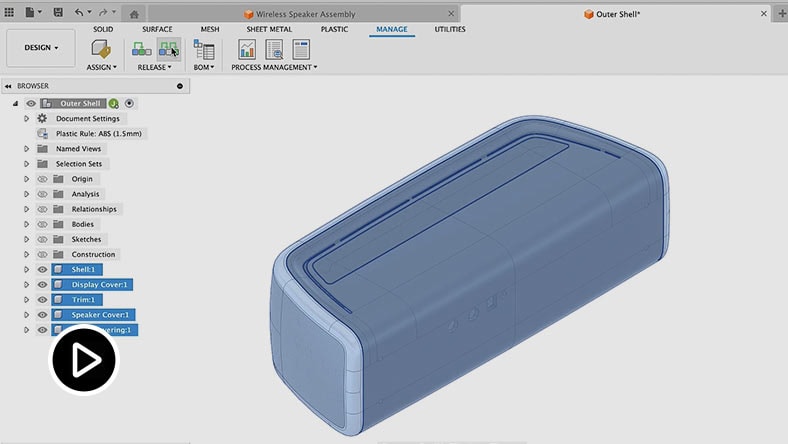
Access 3D design and modeling tools, including generative design, that are manufacturing-aware and automate design processes.


Built-in data management and integrated PLM

Empower teams with unified data and product lifecycle management for smarter decisions, better collaboration, and faster development.


Improve and validate design performance

Investigate the performance and manufacturability of your design with integrated simulation.


Built-in data management and integrated PLM capabilities

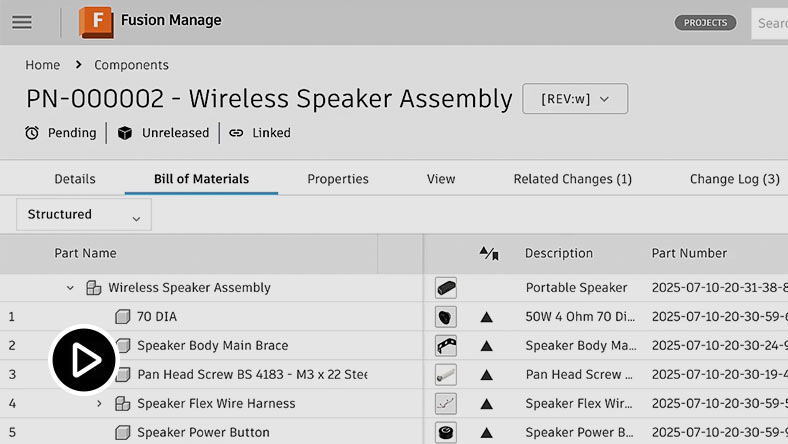
Bill of materials (BOM) management

Enable real-time, multi-user updates with collaborative BOM and property editing tools. Maintain comprehensive BOMs with information for purchasing, assembling, production planning, manufacturing, and more.


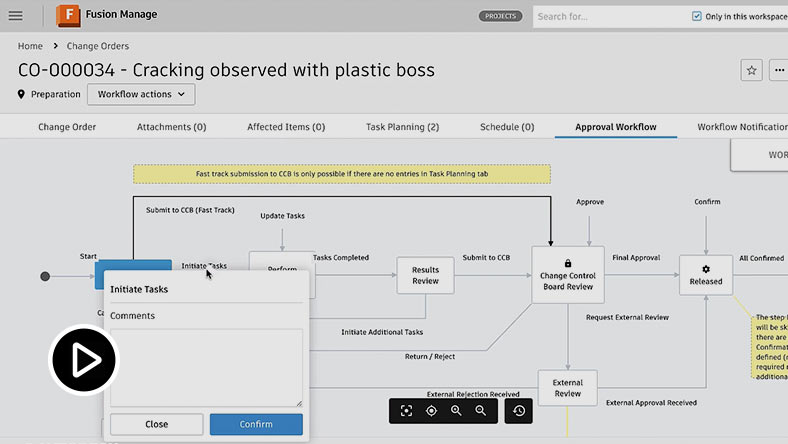
Change and release management

Manage your change and release workflows efficiently with automated processes, including change requests, change orders, change tasks, approvals, and problem reports. Gain full traceability for root causes and documentation for audits. 


Task management

Keep teams aligned and productive with automated real-time alerts and status tracking for new tasks, pending actions, and changes in product data. Speed up action-taking and increase visibility of project updates across your organization. 


Additional Fusion for Design capabilities

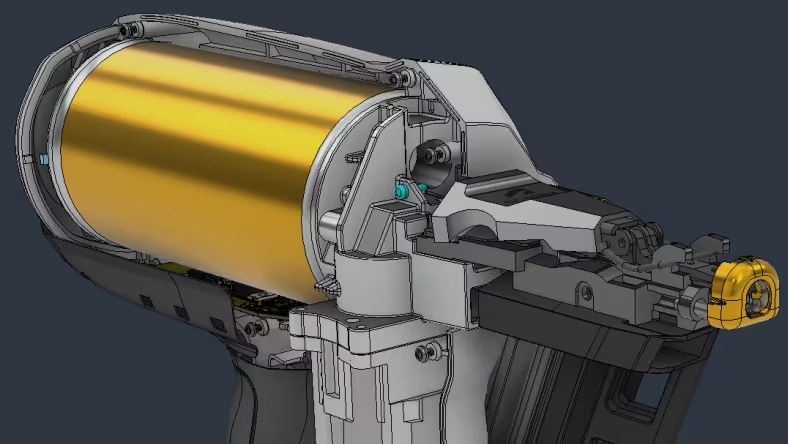
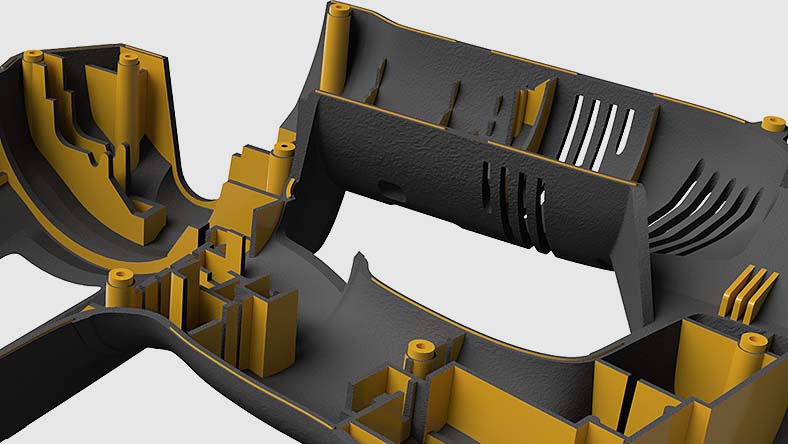
Image shows power tool designed using Fusion

Mechanical Design

Parametric modeling

Parametric design and direct modeling allow for swift, efficient design changes, with automatic design updates that accommodate manufacturing needs.


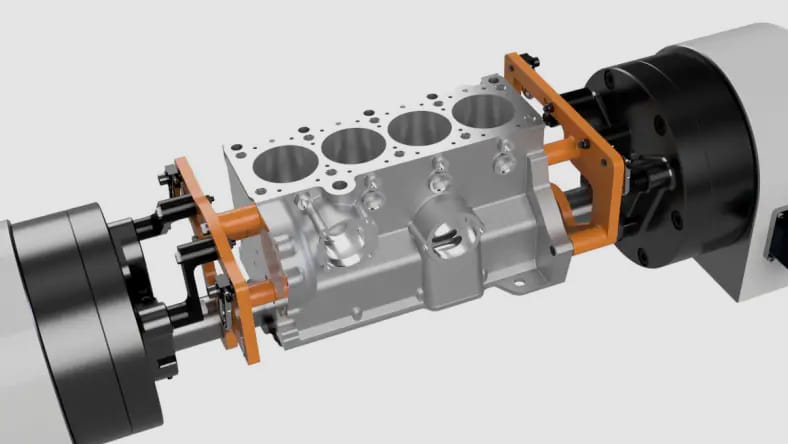
Image shows machining fixtures designed using Fusion

Associative modeling

Design for manufacture

Automate the preparation of 2D and 3D models to enable effective manufacturing to start sooner, with powerful workflows to create jigs, fixtures, and more.


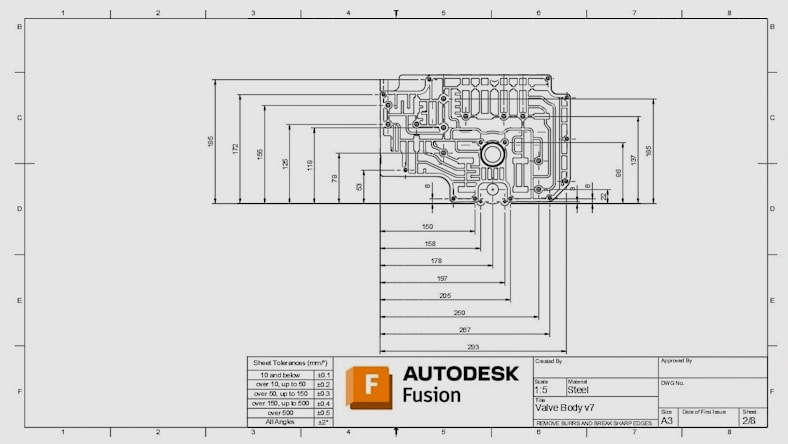
Image shows a 2D drawing created using Fusion

Design Automation

Engineering drawings

Automate the creation of 2D drawings and manufacturing setup sheets then share them securely with your team to keep everyone informed and connected.


Product Design Essentials

Intelligent modeling tools

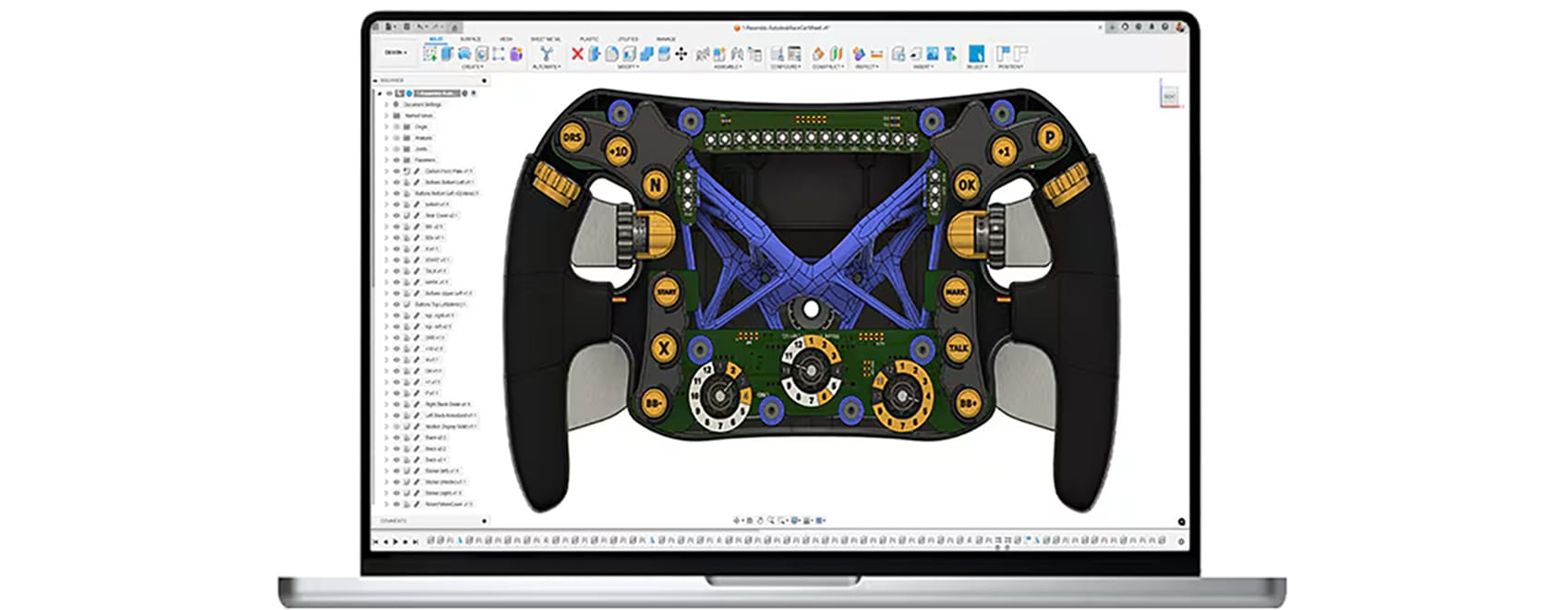
Create parametric CAD models using sophisticated design tools and automated feature creation while using material-based guidance on design choices. 


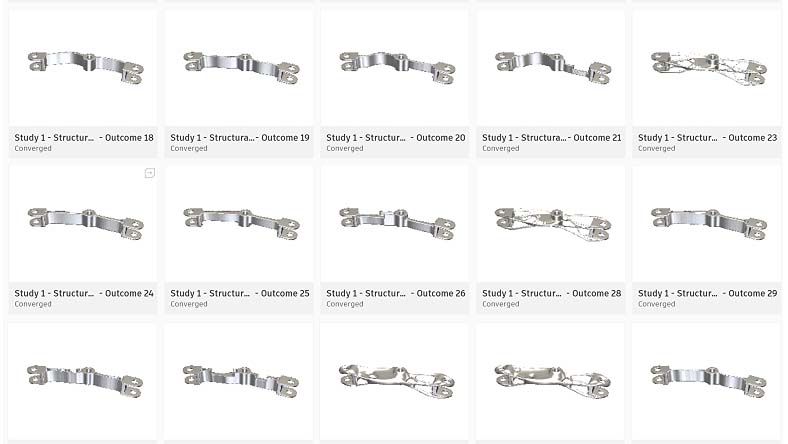
Generative Design

Performance-driven outcomes

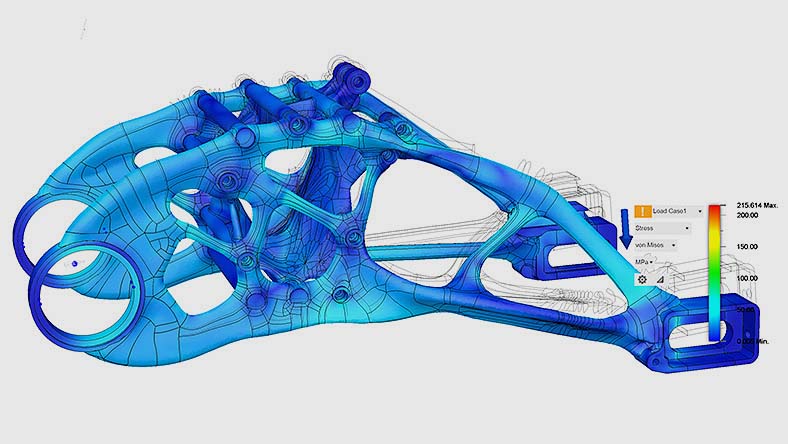
Generative design outcomes generated from user-specified parameters can help you discover weight reduction and performance enhancements.


Design validation

Precision-focused simulations

Optimize part performance and manufacturability with visual simulation insights from analyses like FEA, electronic cooling, injection molding, and more.


Autodesk Fusion plans and pricing for design and manufacturing

ADVANCED DATA AND SIMULATION CAPABILITIES

Autodesk Fusion for Design

Powerful design, simulation, and lifecycle management tools for engineers, designers, and teams working on complex, high-performing designs.


Go beyond CAD with advanced design tools:

  • 10 additional simulation types
  • Generative design technology
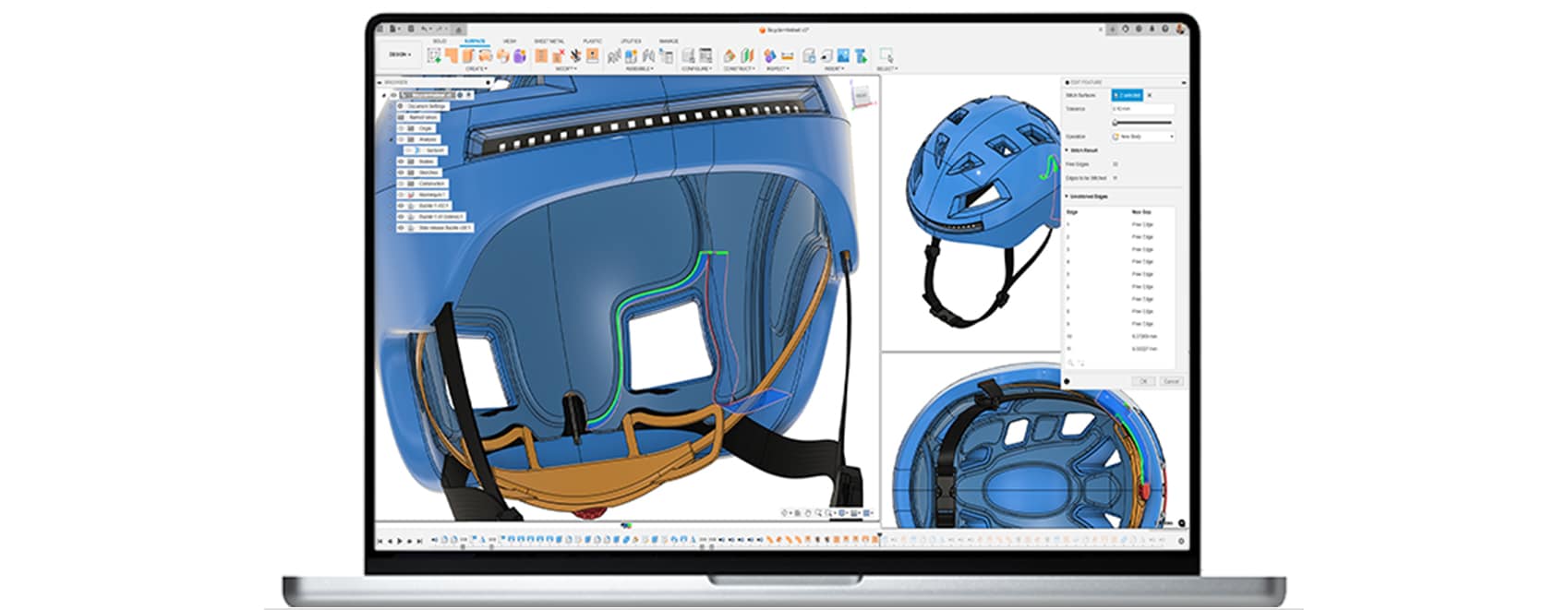
  • Advanced mesh editing and surfacing
  • Additional plastic rules for designs
  • Integrated lifecycle management

Try Autodesk Fusion for Design free for 30-days


/year


CORE ESSENTIALS

Autodesk Fusion

Integrated cloud CAM, CAM, CAE, PCB, and PDM core capabilities ideal for designers, engineers, machinists, and teams working across the product development lifecycle.


Includes:

  • Fully integrated CAD/CAM
  • Real-time team collaboration
  • PCB design alongside mechanical part creation
  • Drawing automation and design configurations


Try Autodesk Fusion free for 30-days


/year


Speak to an expert about Autodesk Fusion for Design today


Connect with an expert to learn more about the benefits of professional-grade design and simulation tools with Autodesk Fusion for Design – our best value offering to get Fusion, Fusion Design Extension, Fusion Simulation Extension, and Fusion Manage.


Complete this form and see how advanced modeling, simulation, and change management tools can accelerate your design process.

Frequently asked questions (FAQs)

What is Autodesk Fusion for Design?

Autodesk Fusion for Design accelerates the creation of high-quality designs with advanced modeling, automation, simulation, and integrated data management capabilities. It equips designers and engineers with tools for complex 3D modeling, generative design, design automation, and manufacturing aware workflows - all within a unified platform. Fusion for Design streamlines collaboration, reduces rework, and helps teams bring better products to market faster.

Can Autodesk Fusion for Design integrate with Fusion Manage for PLM workflows?

Yes, Autodesk Fusion for Design includes access to Autodesk Fusion Manage for integrated PLM capabilities including BOM management, change and release management, task management and more.

How does Autodesk Fusion for Design improve collaboration across teams?

With built-in data managementintegrated PLM, and collaboration tools, Autodesk Fusion for Design unifies data to help teams make smarter decisions, collaborate easier, and develop products faster.

What integrated PLM capabilities come with Autodesk Fusion for Design?

Autodesk Fusion for Design includes integrated PLM features to drive efficiency and collaboration, including:

  • Bill of materials (BOM) management 

  • Change and release management

  • Task management 

  • Supplier collaboration

  • Quality management 

  • New product introduction

  • Product portfolio management 

  • Requirements management

  • Process template library 

  • Visual configuration editor

  • Dashboards and KPIs 

Speak with an expert to discuss how the integrated PLM capabilities in Autodesk Fusion can help unify your data and accelerate your team’s product development process.

Does Autodesk Fusion for Design include generative design and simulation?

Yes, with Autodesk Fusion for Design, you’ll gain access to generative design, as well as simulation study types including structural, thermal, injection molding and more. Try free today for 30-days.

What design tools are in Autodesk Fusion for Design?

Autodesk Fusion for Design includes advanced mesh editing and surfacing tools, as well as additional plastic rules for designs.

Do I need a separate subscription for Autodesk Fusion for Design?

How much does Autodesk Fusion for Design cost?

Autodesk Fusion for Design is available for  per month, paid annually. See pricing options here.

Is Autodesk Fusion for Design different from Fusion?

Yes, Autodesk Fusion is a different subscription offering from Autodesk Fusion for Design. If you need access to advanced 3D modeling tools and simulation tools, along with integrated PLM for your team, consider a subscription to Autodesk Fusion for Design. Try free today for 30-days.

Is there a trial version of the Autodesk Fusion for Design?

Yes, a 30-day free trial to Autodesk Fusion includes access to all the capabilities included in Autodesk Fusion for Design, except for the integrated PLM capabilities. Connect with an expert to discuss how the integrated PLM capabilities in Autodesk Fusion can best suit your needs.

Who uses the Autodesk Fusion for Design?

Autodesk Fusion for Design is built for organizations that want to increase innovation, reduce development costs, and start manufacturing sooner. These organizations typically consist of engineers and designers tasked with the responsibility of designing and validating a product.

How does Autodesk Fusion for Design differ to the Fusion Manufacturing Extension?

Autodesk offers a range of Autodesk Fusion extensions that unlock additional capabilities within the core Autodesk Fusion product. Autodesk Fusion for Design differs in that it combines multiple extensions into a single subscription to provide an integrated solution for product development. A subscription to the Autodesk Fusion for Design offering includes Autodesk FusionAutodesk Fusion Design ExtensionAutodesk Fusion Simulation ExtensionAND Autodesk Fusion Manage, at a discounted price. These combined capabilities empower you to bring your products to life with advanced 3D modeling, intuitive generative design, simulation for product performance and manufacturability, and data management across your company departments and geographies.

What subscription options are available?

Customers can choose to subscribe to the Autodesk Fusion for Design for 1 year or 3 years. The longer, 3-year term, allows customers to lock in the price and get the greatest return on investment. See subscription options here.

What simulations are included when accessing the Simulation Extension in the Autodesk Fusion for Design offering?

The simulations available in Autodesk Fusion for Design are identical to the simulations accessible through a subscription to the Simulation Extension alone. This encompasses a wide range of simulations, such as electronic cooling, static stress, nonlinear static stress, quasi-static event simulation, dynamic event simulation, modal frequencies, shape optimization, structural buckling, thermal analysis, thermal stress analysis, and plastic injection molding. Generative design is also included.

See more